Completing a Meet Entry
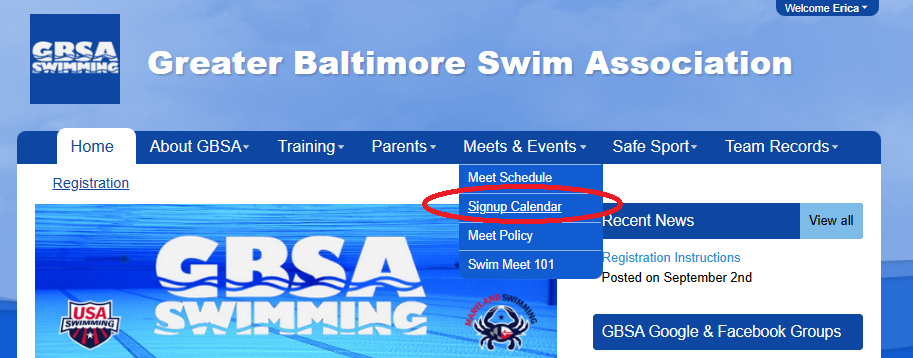
1. Under the Meets & Events tab, select Signup Calendar from the dropdown menu.
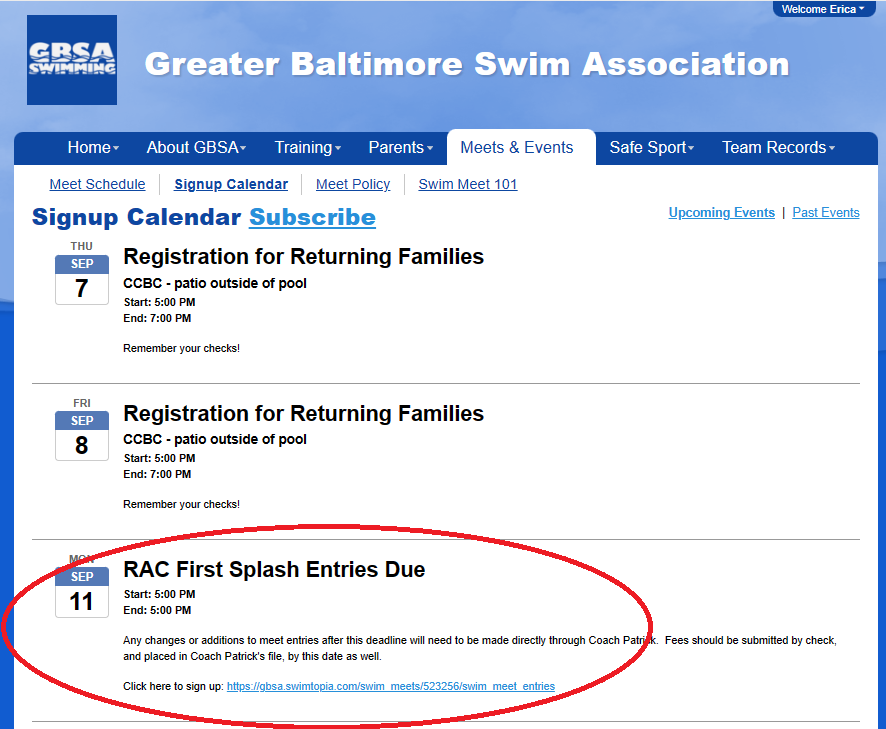
2. Under this tab you will find upcoming meets, as well as other events happening with the team. This includes meet entry submission deadlines. These deadlines are typically between three and four weeks prior to each meet.
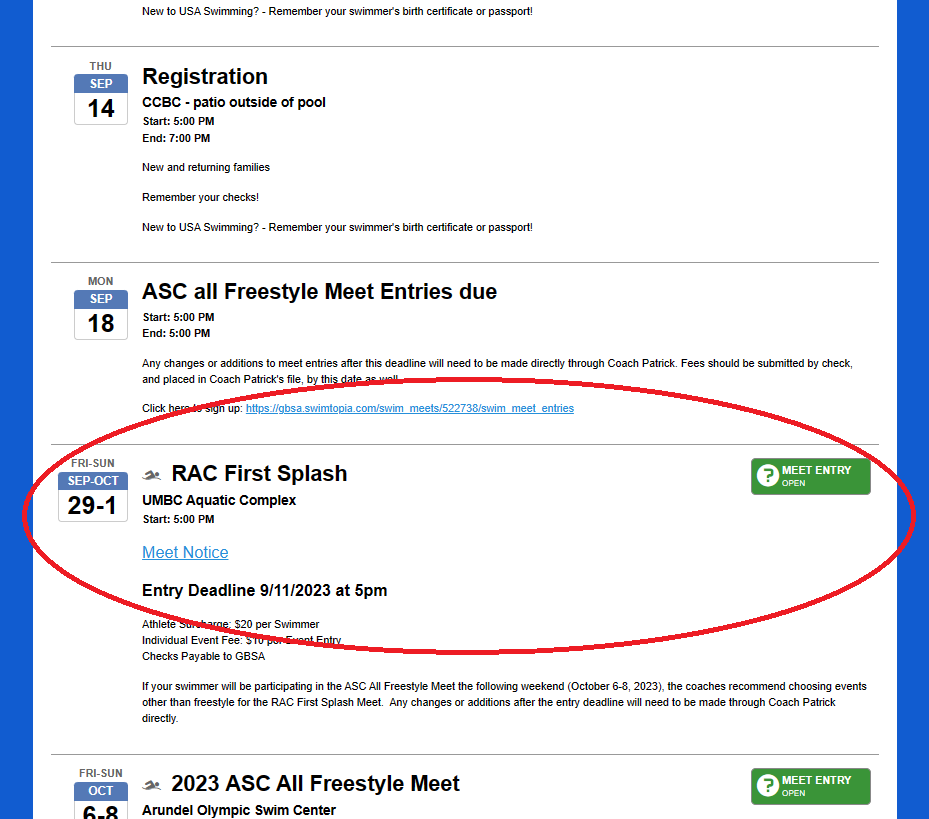
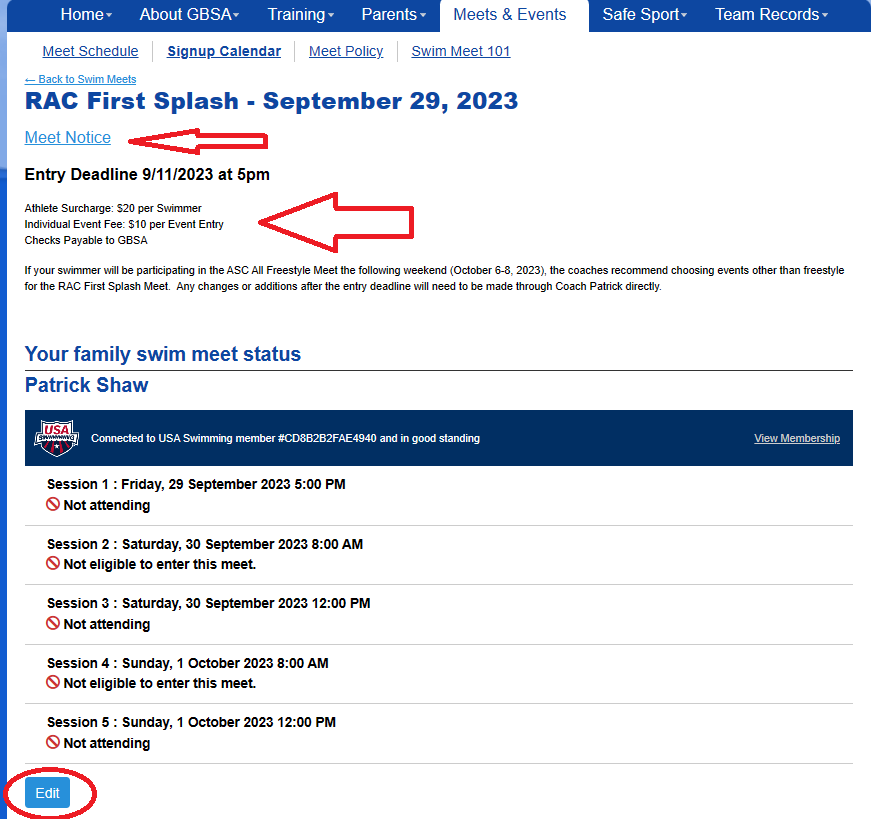
4. Upon clicking the green button, the next screen will show you all sessions, highlighting which ones your swimmer(s) is eligible for. This screen will also have the entry deadline date, a link to the official meet notice on MDSwim, as well as meet fees (surcharge and individual event fee).
ALWAYS READ THE MEET NOTICE!
Click edit at the bottom of the screen.
If you just registered for USA Swimming, it can take 24 hours for that account to sync with SwimTopia. You can still enter your swimmer in meets if your account says "not connected" to USA Swimming.
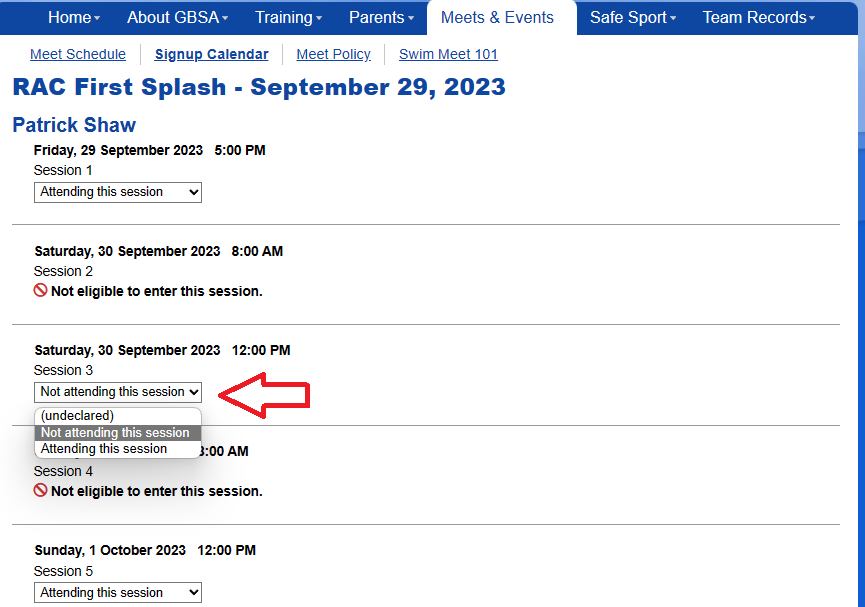
5. This is where you will declare your swimmer(s) attendance at the meet. Use the dropdown menus under each eligible session to choose “Attending the Session” or “Not Attending the Session.” This question will default to “Undeclared” if no entry is made, and you will be considered as “Not Attending” when entries are submitted.
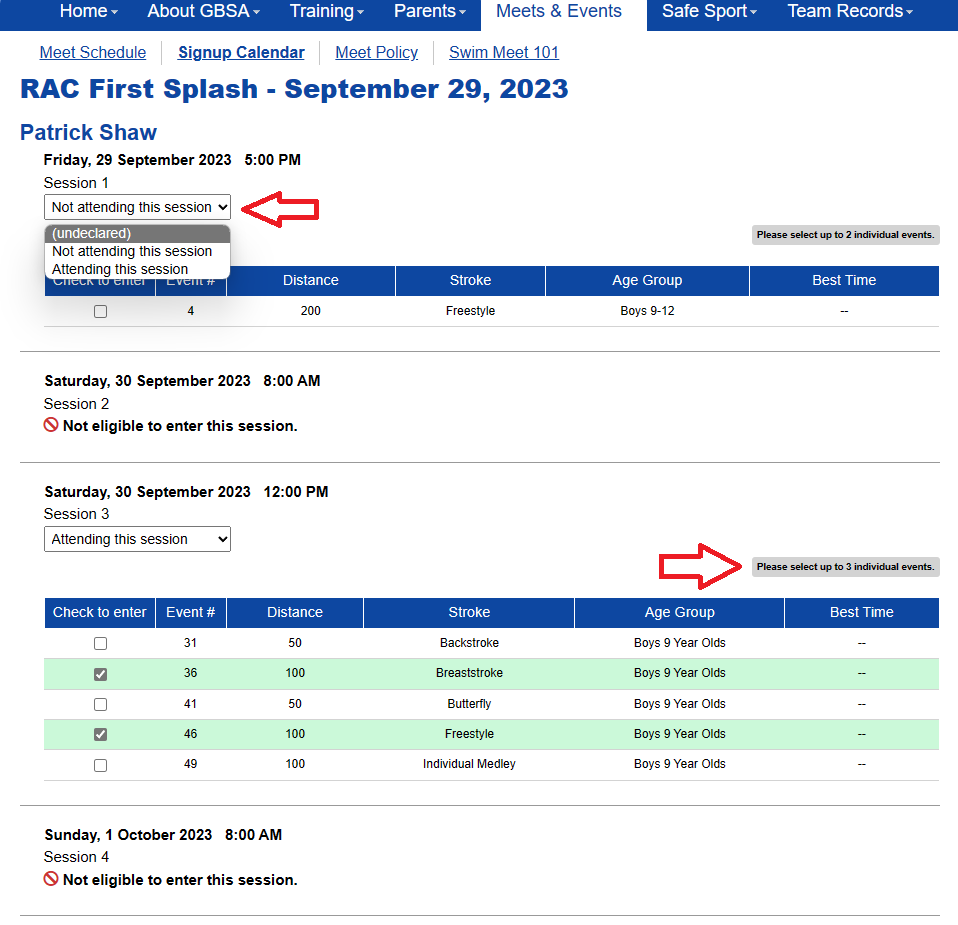
6. You will now select events for the meet. Only events your swimmer(s) is eligible for will be available to choose from. Above each session, there is a gray box which will indicate the maximum number of events a swimmer can do each session. From this screen, if there is a session that your swimmer(s) decides not to attend, you can edit that as well without having to go back to the previous page.
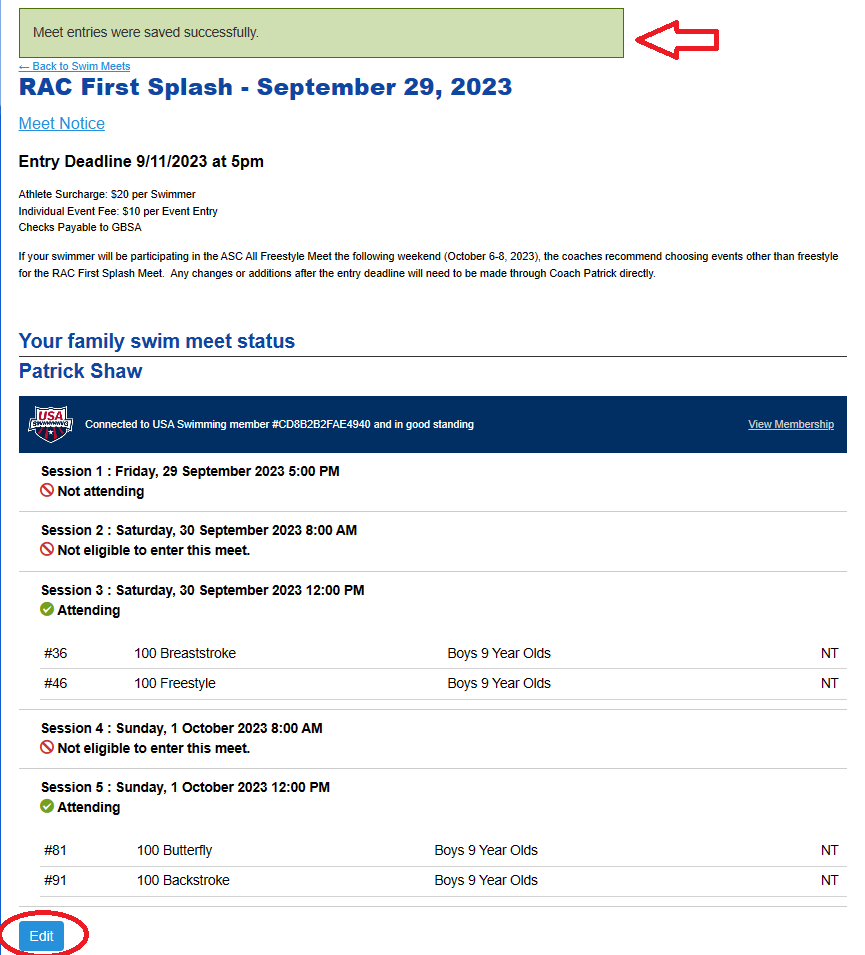
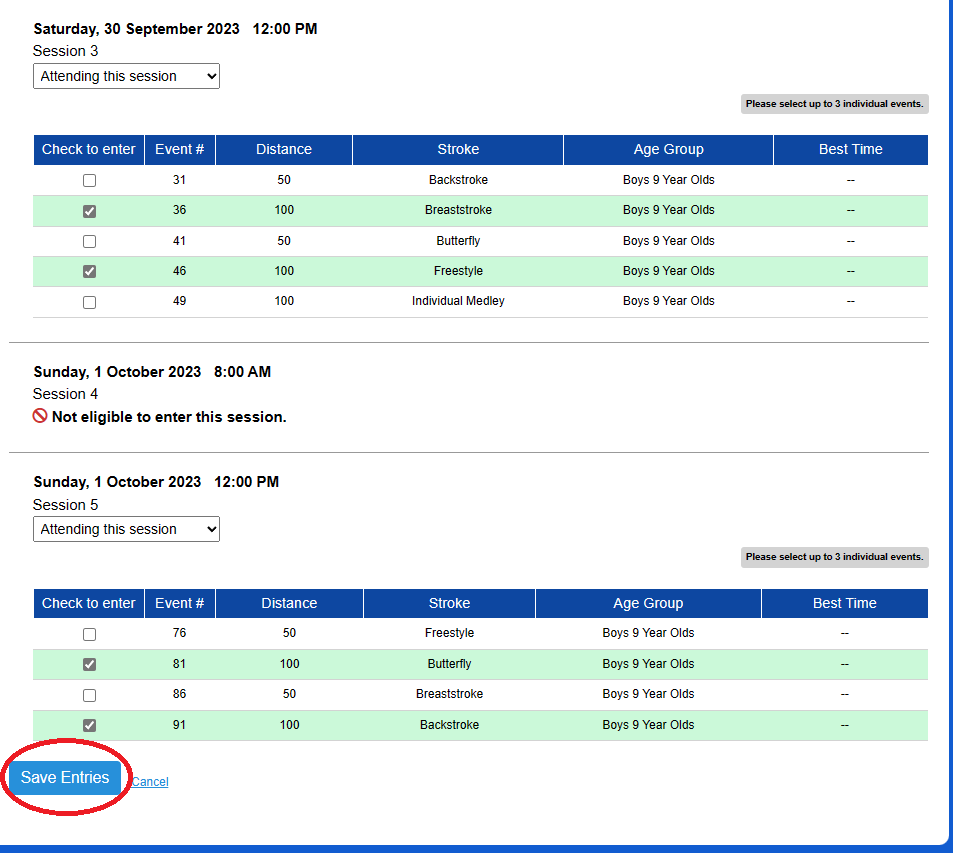
8. Click the blue “Save Entries” button in the bottom left-hand corner.
9. A green bar across the top saying “Meet entries were saved successfully,” along with a summary of chosen events and their corresponding sessions will be confirmation that your entries have been submitted. If any changes need to be made prior to the due date/time, you can go back to “Signup Calendar” under the Meets and Events tab, click on whatever meet needs entries need to be changed, and hit edit at the bottom. You will be brought back to the page where individual events are chosen to make any necessary changes. If the deadline has passed, this will no longer be an option, and you will need to speak with Coach Patrick directly to see if any changes are possible.